Understanding the MV88 Microphone
The MV88 microphone is a remarkable tool for content creators and musicians alike, offering high-quality audio capture that is both portable and versatile. As technology advances, understanding the features and functionalities of the MV88 becomes crucial for achieving professional-grade sound recordings. This article delves into the specifics of the MV88, providing potential users with insights into its operation, setup, and applications in various scenarios.
What is the MV88 and How Does it Work?
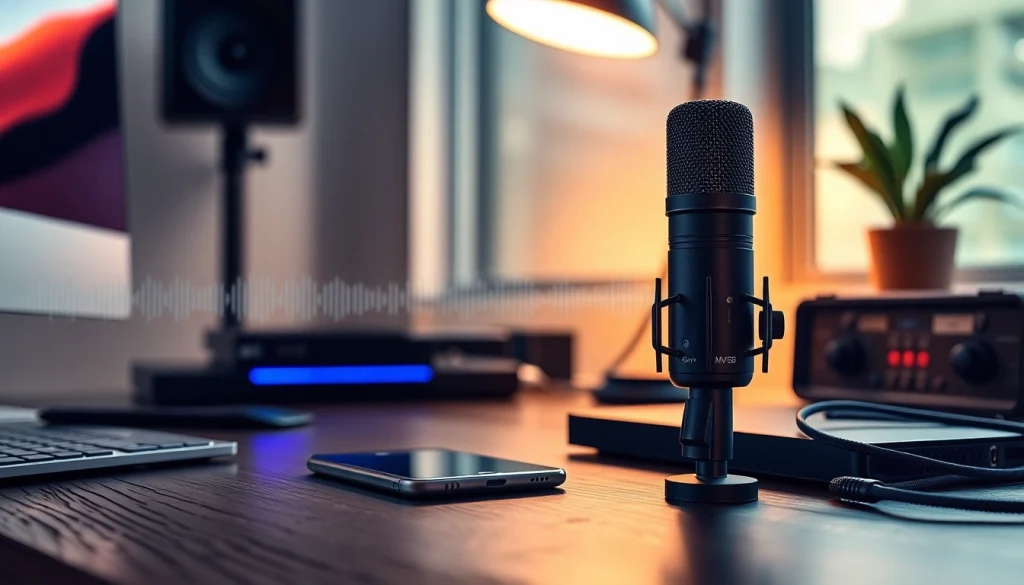
The MV88 is a digital stereo condenser microphone designed to connect directly to Apple iOS devices via a Lightning connector. With its compact design, the MV88 is ideal for mobile recording, making it a favorite among podcasters, musicians, and videographers. The microphone utilizes two microphone capsules arranged in a Mid-Side configuration, allowing users to adjust the stereo image and capture a wide range of sound sources, from vocals to instruments.
Key Features and Benefits of the MV88
- High-Quality Audio Capture: The MV88 records in 24-bit/48 kHz audio quality, ensuring crystal-clear sound.
- App Integration: Compatibility with the ShurePlus MOTIV app allows users to customize settings and control recording parameters.
- Portability: Its compact and lightweight design means the MV88 can easily fit into any mobile recording kit.
- Real-Time Monitoring: The built-in headphone output enables users to monitor audio in real-time for optimal recording quality.
Technical Specifications and Compatibility
The MV88 is compatible with a wide range of iOS devices, including iPhones and iPads, thanks to its Lightning connector. It supports various audio formats, making it adaptable for different recording environments. Key technical specifications include:
- Frequency response: 20 Hz to 20 kHz
- Signal-to-noise ratio: 90 dB
- Polar patterns: Mid-Side configuration for adjustable stereo width
Setting Up Your MV88 for Optimal Performance
Step-by-Step Setup Guide for New Users
Setting up the MV88 is straightforward, making it accessible for users of all skill levels. Here’s a quick guide to get you started:
- Connect the MV88 to your iOS device using the Lightning connector.
- Download the ShurePlus MOTIV app from the App Store.
- Open the app and select the MV88 as your recording device.
- Adjust the microphone settings according to your recording environment.
- Monitor your audio levels with headphones connected to the MV88.
Best Practices for Different Recording Scenarios
To maximize the performance of the MV88, consider the following best practices:
- Indoor vs Outdoor: Use windshields and pop filters when recording outside to minimize wind noise.
- Distance: Maintain an appropriate distance from the sound source to avoid distortion and ensure clarity.
- Environment: Choose quiet locations with minimal background noise for high-quality recordings.
Common Setup Mistakes and How to Avoid Them
New users often encounter common challenges when setting up their MV88. Here are some pitfalls to avoid:
- Not checking compatibility with the iOS device before purchasing.
- Using incorrect settings for the recording environment, which can lead to poor sound quality.
Exploring the MV88 App Integration
Overview of ShurePlus MOTIV App Features
The ShurePlus MOTIV app complements the MV88 by offering a range of features to enhance the recording experience:
- Audio Effects: Apply compression, equalization, and limiting directly within the app.
- Multi-Track Recording: Record separate audio tracks for further editing.
- Direct Sharing: Share recordings directly to social media or cloud storage.
Customizing Audio Settings for Different Environments
Users can modify settings such as stereo width, gain, and equalization to optimize recordings for specific environments, whether it be a quiet studio or a bustling street.
Tips for Enhancing Recording Quality with the App
To further improve recording quality, consider the following tips:
- Experiment with the stereo width for a fuller sound.
- Use high-pass filters to eliminate low-frequency noise.
- Regularly monitor levels to prevent clipping.
MV88 in Real-World Applications
Case Studies: Artists Who Use the MV88
Many artists and content creators have embraced the MV88 for its reliability and sound quality. From musicians recording demos in their living rooms to podcasters capturing interviews on location, the MV88 has proven its versatility and performance across a range of applications.
MV88 for Content Creation: Tips for Podcasters and YouTubers
For podcasters and YouTubers, the MV88 offers several advantages:
- Portable and easy to set up, perfect for on-the-go content creation.
- High-quality audio ensures professional sound quality, crucial for retaining audience engagement.
Feedback from Users: What Makes MV88 Stand Out?
User reviews highlight the MV88’s exceptional sound quality and ease of use. Many appreciate how it handles various recording scenarios, adapting seamlessly to both music and dialogue, making it a standout choice in the crowded market of portable microphones.
The Future of Audio Recording with MV88
2025 Trends in Microphone Technology
As we look toward 2025, audio technology is rapidly evolving. Innovations such as AI-driven audio processing, improved wireless technology, and enhanced mobile app capabilities are shaping the future of microphones like the MV88. Users can expect more intuitive controls and even higher sound fidelity.
Predicted Developments for the MV88 and Beyond
Future iterations of the MV88 may incorporate features such as Bluetooth compatibility, advanced noise cancellation, and improved battery life, enhancing its functionality and user experience.
How to Stay Updated with MV88 Innovations
To keep abreast of the latest developments, users should follow industry news, engage with microphone user communities, and regularly check for updates from manufacturers like Shure.